> ## Documentation Index
> Fetch the complete documentation index at: https://docs.termique.app/llms.txt
> Use this file to discover all available pages before exploring further.
# Command logs
> Audit terminal sessions on a per-host basis.
Command logs record keystrokes and commands entered during a session. They are useful for auditing activity on shared hosts or tracking what was run during an incident.
Command logging requires a [Pro subscription](/plans). Free accounts cannot enable logging or view logs.
 ## Enable logging on a host
1. Open the host edit form.
2. Toggle **Command logging** on.
3. Save.
All sessions on that host will be logged from that point forward.
## What is recorded
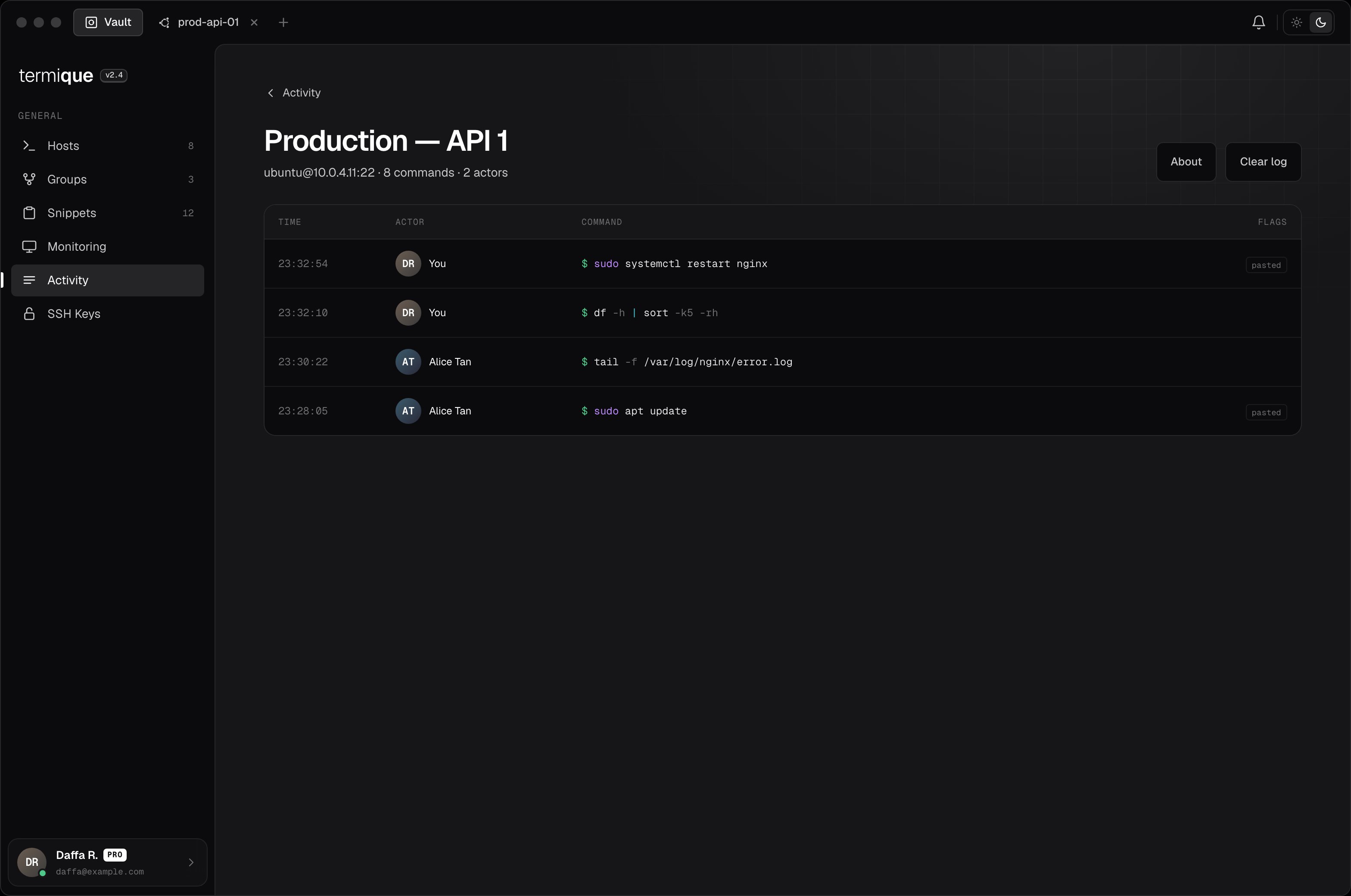
Each log entry captures:
| Field | Value |
| ---------- | -------------------------------------------------------------- |
| Timestamp | When the input was received |
| Session ID | Which terminal session |
| Kind | `input` (keystrokes) or `output` (terminal output, if enabled) |
| Payload | The text content |
| Pasted | Whether the input was pasted (vs. typed) |
| Actor | The Termique user who ran the session |
## View logs
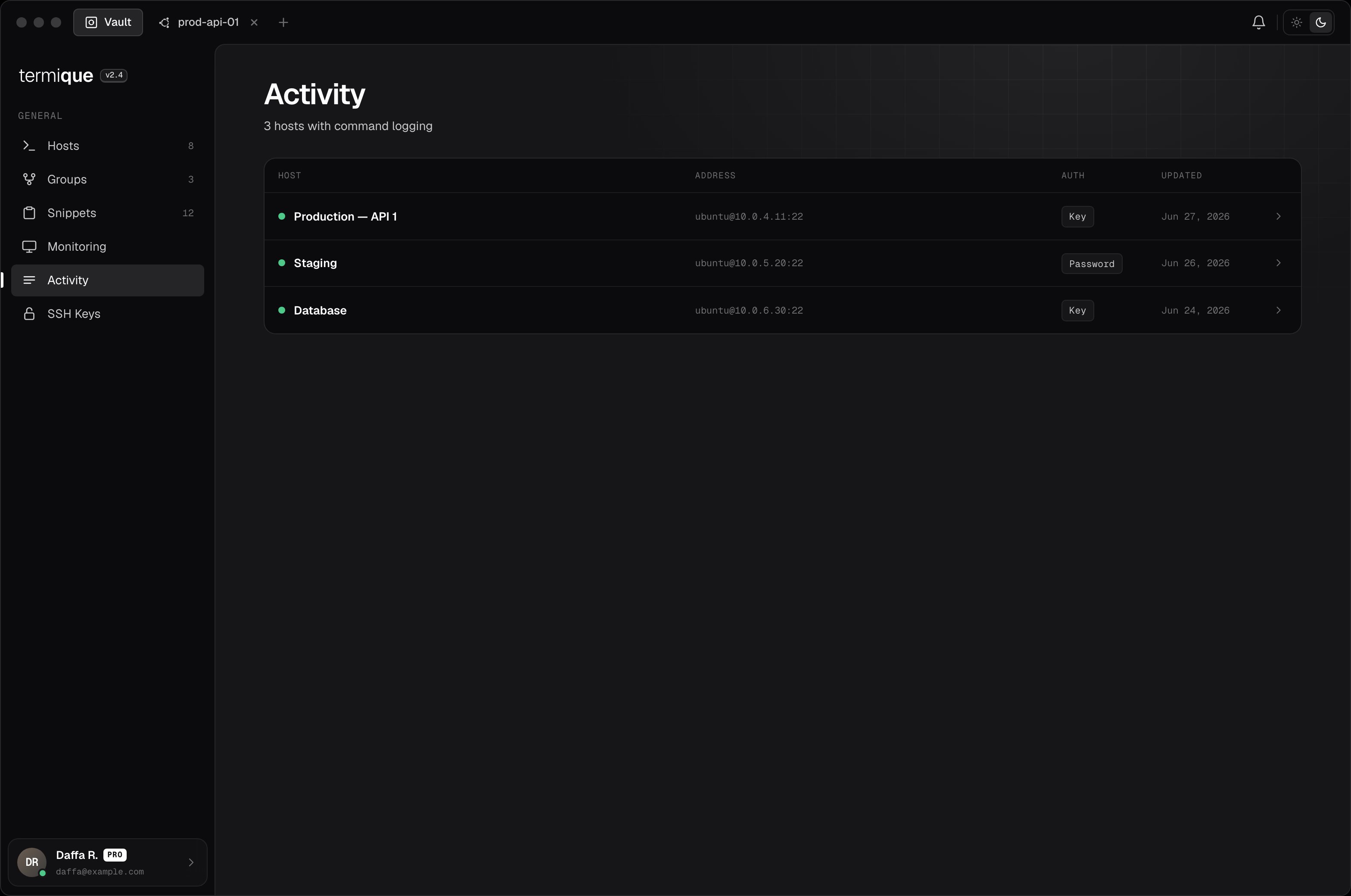
Open the host detail and click **Command logs**. Logs are listed chronologically. You can filter by session or date range.
## Enable logging on a host
1. Open the host edit form.
2. Toggle **Command logging** on.
3. Save.
All sessions on that host will be logged from that point forward.
## What is recorded
Each log entry captures:
| Field | Value |
| ---------- | -------------------------------------------------------------- |
| Timestamp | When the input was received |
| Session ID | Which terminal session |
| Kind | `input` (keystrokes) or `output` (terminal output, if enabled) |
| Payload | The text content |
| Pasted | Whether the input was pasted (vs. typed) |
| Actor | The Termique user who ran the session |
## View logs
Open the host detail and click **Command logs**. Logs are listed chronologically. You can filter by session or date range.
 ## Shared hosts
If you accept a shared host with command logging enabled, the host owner can see your session logs. You are shown a consent prompt at the time you accept the invite. See [Sharing](/sharing).
## Log retention
Logs are stored in the API backend. You can delete logs older than a given date from the host's command log settings.
## Privacy
Command logs are stored on the Termique backend. They are not end-to-end encrypted. The server stores them in plaintext. Enable command logging only on hosts where this is acceptable.
## Shared hosts
If you accept a shared host with command logging enabled, the host owner can see your session logs. You are shown a consent prompt at the time you accept the invite. See [Sharing](/sharing).
## Log retention
Logs are stored in the API backend. You can delete logs older than a given date from the host's command log settings.
## Privacy
Command logs are stored on the Termique backend. They are not end-to-end encrypted. The server stores them in plaintext. Enable command logging only on hosts where this is acceptable.