> ## Documentation Index
> Fetch the complete documentation index at: https://docs.termique.app/llms.txt
> Use this file to discover all available pages before exploring further.
# Hosts
> Add, organize, and connect to SSH servers.
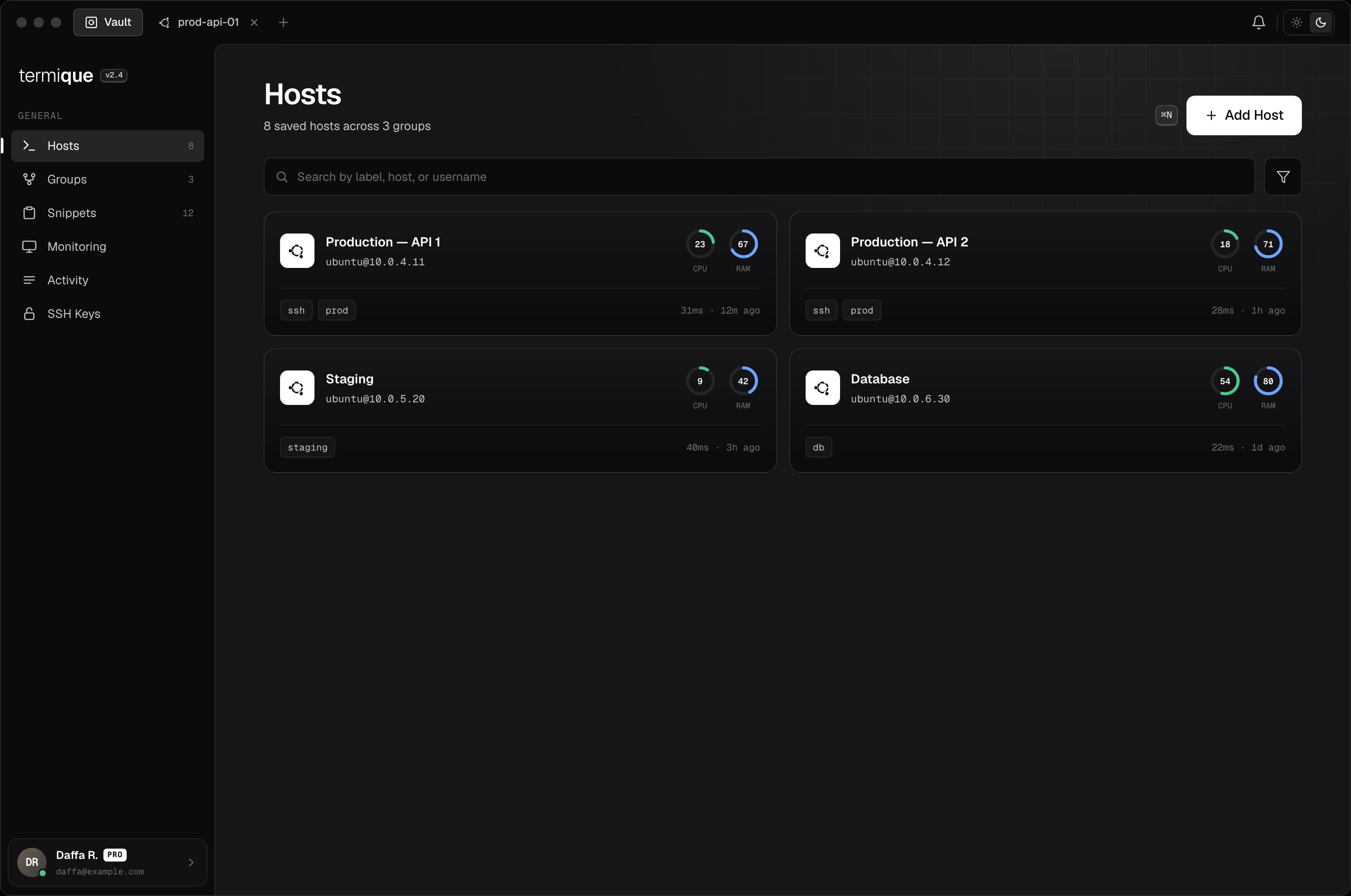
A host is a saved SSH server entry. It stores the connection details and an encrypted credential so you can connect with one click.
 ## Add a host
1. Click **Add host** in the sidebar (or press the `+` button next to the host list).
2. Fill in the fields:
| Field | Description |
| -------------- | --------------------------------------------- |
| **Label** | A friendly name, e.g. `web-prod-01` |
| **Host** | Hostname or IP address |
| **Port** | SSH port, default `22` |
| **Username** | The SSH user on the remote server |
| **Auth type** | `password` or `key` |
| **Credential** | The password or private key |
| **Tags** | Optional comma-separated labels for filtering |
3. Click **Save**. The credential is encrypted with your DEK before it is stored.
Free accounts are limited to 3 hosts. Upgrade to [Pro](/plans) for unlimited hosts.
## Edit a host
Right-click a host in the sidebar and select **Edit**, or open the host detail and click the edit icon. Changes are saved locally and synced to your API backend if sync is enabled.
## Delete a host
Right-click a host and select **Delete**. This removes the entry from local storage and the API backend. Active sessions connected to that host are not affected until you disconnect.
## Connect
Click a host in the sidebar. Termique opens a terminal session. The credential is decrypted and used to establish the SSH connection. It is never stored or logged in plaintext.
## Add a host
1. Click **Add host** in the sidebar (or press the `+` button next to the host list).
2. Fill in the fields:
| Field | Description |
| -------------- | --------------------------------------------- |
| **Label** | A friendly name, e.g. `web-prod-01` |
| **Host** | Hostname or IP address |
| **Port** | SSH port, default `22` |
| **Username** | The SSH user on the remote server |
| **Auth type** | `password` or `key` |
| **Credential** | The password or private key |
| **Tags** | Optional comma-separated labels for filtering |
3. Click **Save**. The credential is encrypted with your DEK before it is stored.
Free accounts are limited to 3 hosts. Upgrade to [Pro](/plans) for unlimited hosts.
## Edit a host
Right-click a host in the sidebar and select **Edit**, or open the host detail and click the edit icon. Changes are saved locally and synced to your API backend if sync is enabled.
## Delete a host
Right-click a host and select **Delete**. This removes the entry from local storage and the API backend. Active sessions connected to that host are not affected until you disconnect.
## Connect
Click a host in the sidebar. Termique opens a terminal session. The credential is decrypted and used to establish the SSH connection. It is never stored or logged in plaintext.
 ## Tags
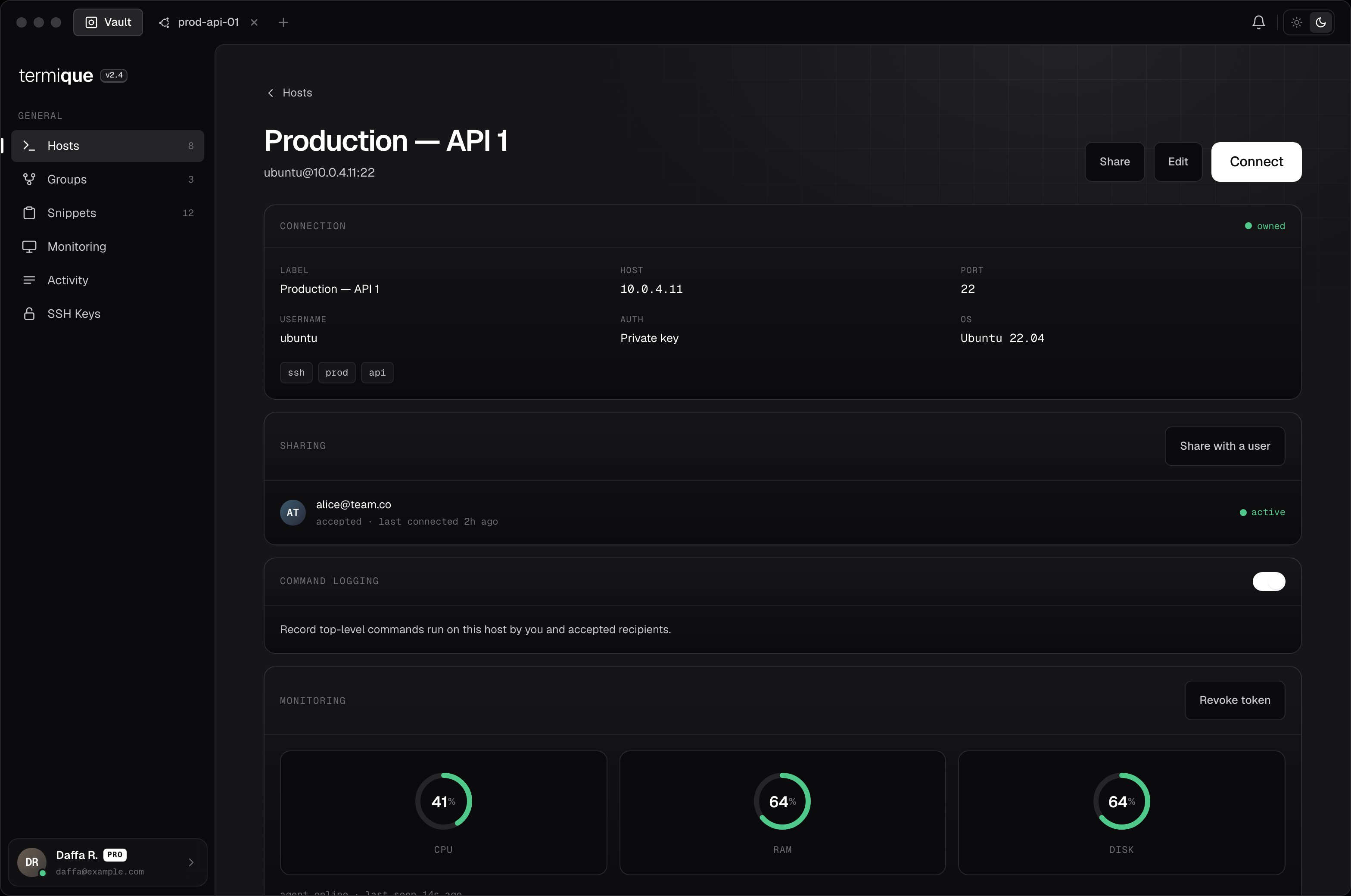
Tags are free-form strings attached to a host. Use them to filter the host list. A host can have multiple tags, e.g. `production`, `aws`, `us-east-1`.
## Shared hosts
Hosts shared with you by a team member appear in the host list after you accept the invite. See [Sharing](/sharing) for details.
## Monitoring
Install the Termique monitoring agent on a host's server to see live CPU, RAM, and disk usage, and set up alerts. See [Monitoring](/monitoring).
## Tags
Tags are free-form strings attached to a host. Use them to filter the host list. A host can have multiple tags, e.g. `production`, `aws`, `us-east-1`.
## Shared hosts
Hosts shared with you by a team member appear in the host list after you accept the invite. See [Sharing](/sharing) for details.
## Monitoring
Install the Termique monitoring agent on a host's server to see live CPU, RAM, and disk usage, and set up alerts. See [Monitoring](/monitoring).