> ## Documentation Index
> Fetch the complete documentation index at: https://docs.termique.app/llms.txt
> Use this file to discover all available pages before exploring further.
# Snippets
> Save and run reusable shell commands across sessions.
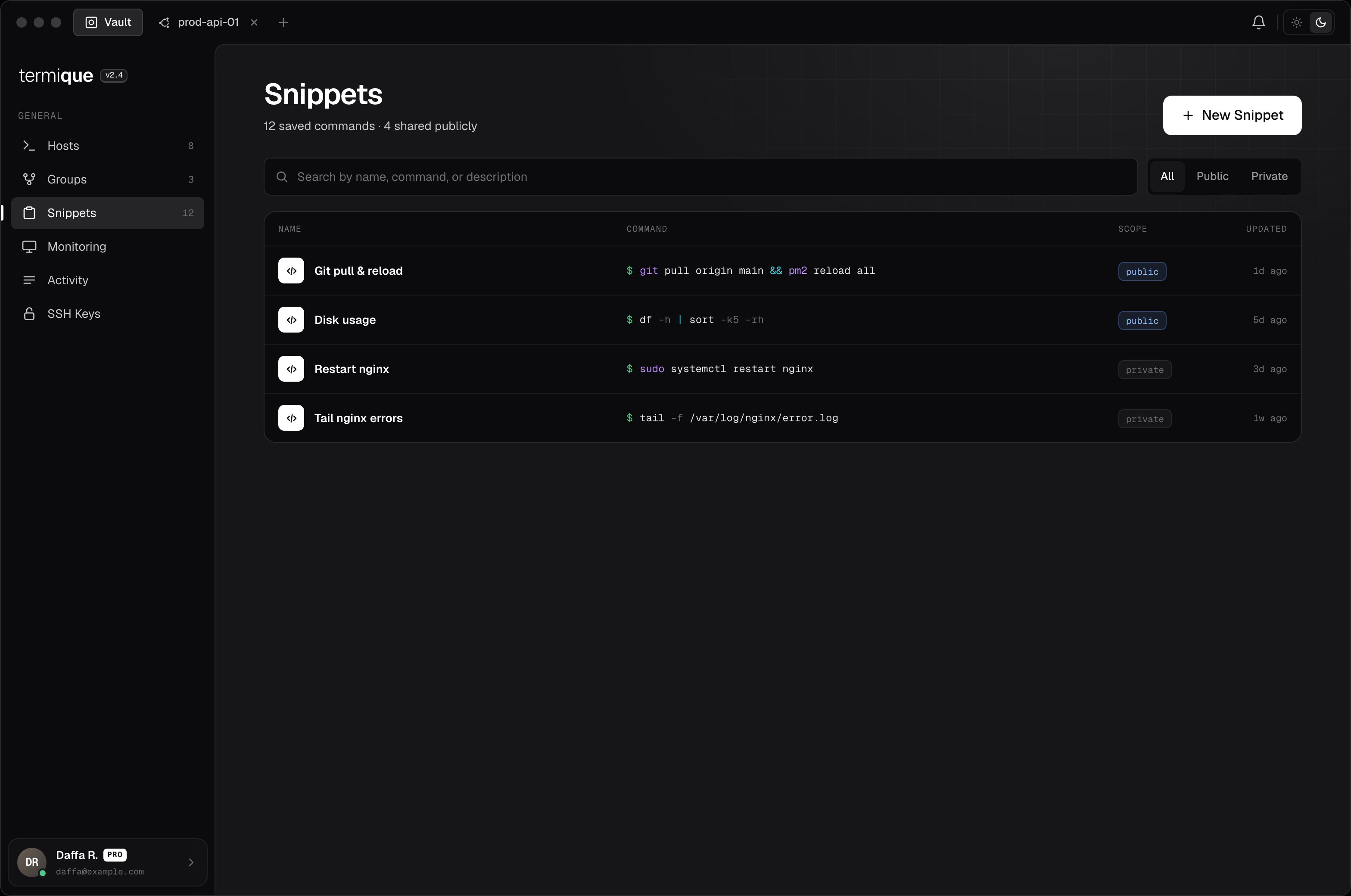
Snippets are saved commands you can execute in any terminal session with one click. Use them for repetitive tasks like deploying, restarting services, or checking system status.
 ## Create a snippet
1. Open the **Snippets** panel in the sidebar.
2. Click **New snippet**.
3. Enter a **label** (e.g. `Restart nginx`) and the **command** (e.g. `sudo systemctl restart nginx`).
4. Click **Save**.
Free accounts are limited to 10 snippets (forking a public snippet counts toward this limit). Upgrade to [Pro](/plans) for unlimited snippets.
## Run a snippet
Open a terminal session, then open the **Snippets** panel. Click a snippet to send the command to the active session. The command is inserted into the terminal as if you typed it.
## Edit or delete a snippet
Right-click a snippet and select **Edit** or **Delete**. Changes sync to your API backend.
## Publish a snippet
Toggle **Public** when creating or editing a snippet to list it in the Marketplace. Anyone can find and fork a public snippet. Do not publish a snippet that contains a hostname, credential, or other sensitive value.
## Public snippets
Browse community-shared snippets in the **Marketplace** tab of the Snippets panel. Search by keyword.
To use a public snippet, click **Fork**: this copies it to your personal snippets where you can edit it before running.
Public snippets are read-only in the marketplace. Always review a snippet's command before running it on a production host.
## Sync
Snippets are synced to your API backend. They are not end-to-end encrypted. Do not store credentials or sensitive values in snippet commands.
## Create a snippet
1. Open the **Snippets** panel in the sidebar.
2. Click **New snippet**.
3. Enter a **label** (e.g. `Restart nginx`) and the **command** (e.g. `sudo systemctl restart nginx`).
4. Click **Save**.
Free accounts are limited to 10 snippets (forking a public snippet counts toward this limit). Upgrade to [Pro](/plans) for unlimited snippets.
## Run a snippet
Open a terminal session, then open the **Snippets** panel. Click a snippet to send the command to the active session. The command is inserted into the terminal as if you typed it.
## Edit or delete a snippet
Right-click a snippet and select **Edit** or **Delete**. Changes sync to your API backend.
## Publish a snippet
Toggle **Public** when creating or editing a snippet to list it in the Marketplace. Anyone can find and fork a public snippet. Do not publish a snippet that contains a hostname, credential, or other sensitive value.
## Public snippets
Browse community-shared snippets in the **Marketplace** tab of the Snippets panel. Search by keyword.
To use a public snippet, click **Fork**: this copies it to your personal snippets where you can edit it before running.
Public snippets are read-only in the marketplace. Always review a snippet's command before running it on a production host.
## Sync
Snippets are synced to your API backend. They are not end-to-end encrypted. Do not store credentials or sensitive values in snippet commands.