

Free vs Pro
Hosted AI limits reset at
00:00 UTC.
A custom AI endpoint is not counted against daily limits on either plan. See AI assistant.
Share recipients
Pro includes5 share recipients. A recipient is one person you share with, however many hosts you share with them. Additional recipients cost $0.80/month each ($8/year each on yearly billing) and are added in the web dashboard.
Metrics history
The 1y range on monitoring charts requires Pro.
Upgrade
- Open Settings → Subscription and click Upgrade to Pro.
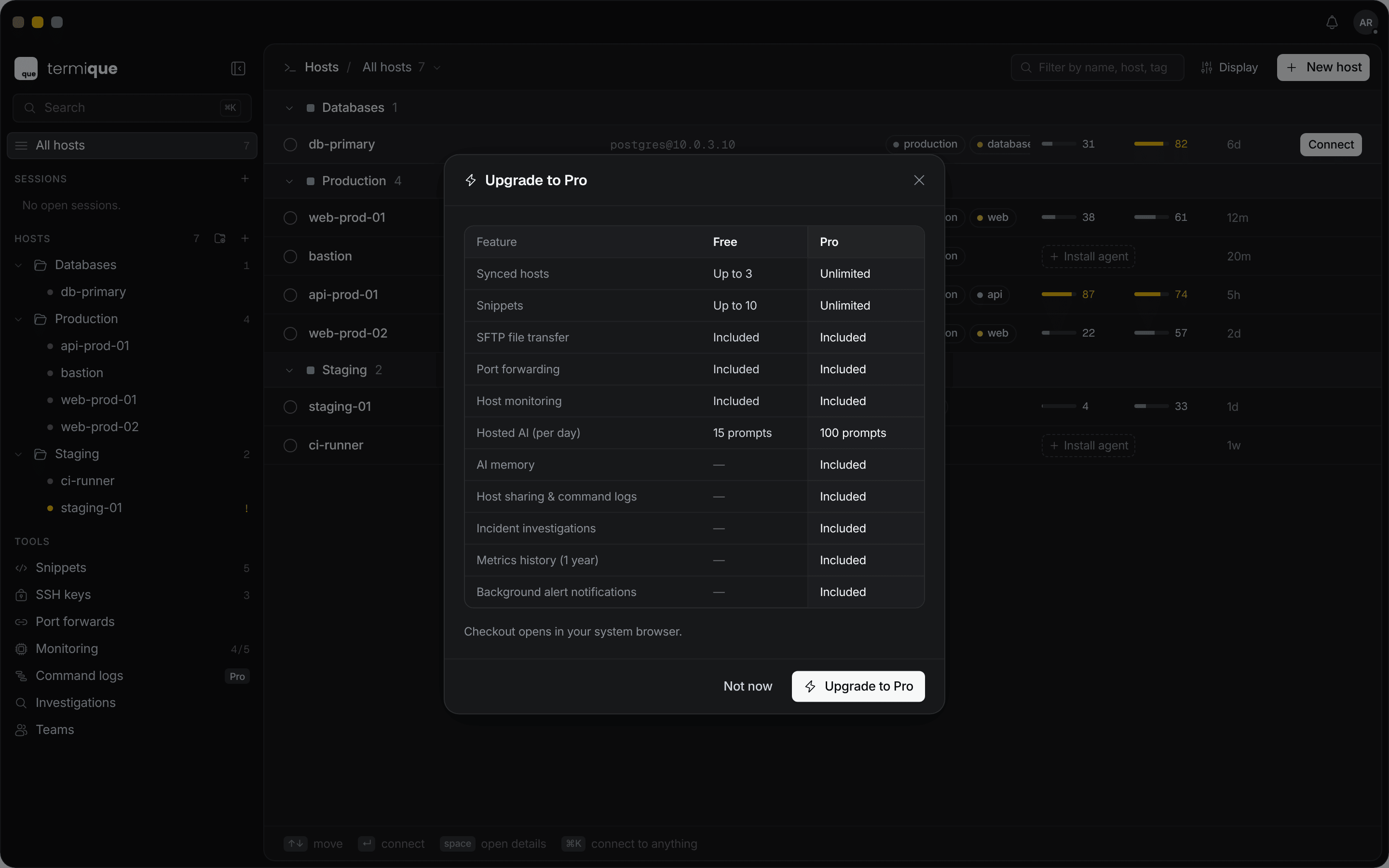
- Review the Free and Pro comparison and click Upgrade to Pro.
- Checkout opens in your browser on the web dashboard. Payment is handled by Polar.
Manage your subscription
Open Settings → Subscription and click Manage billing. The billing section of the web dashboard opens in your browser, where you can update payment details, view invoices, or cancel. Subscription shows your plan status:Hitting a limit
On Free, adding an 11th snippet, or syncing a 4th host, opens an upgrade prompt instead of completing the action. Termique does not delete anything. Remove an existing item or upgrade to continue.Hosts on this computer
On Free, the Hosts page shows a Sync counter such as Sync 3/3. You can add as many hosts as you like:3hosts sync to your other devices.- The rest stay on this computer only. Their address, credential, and port forwards never leave the device.
- To change which hosts sync, click the Sync counter, or right-click a host and choose Sync to other devices or Swap with a local host.